

May 19, 2021
Question

Editing one custom invoice template edits all saved invoice templates

  • May 19, 2021
  • 1 reply
  • 0 views

Hi!


I am new to QBO. 


I am trying to set up a catalogue of customized invoice templates to use for my company's most frequently used transaction types. I have been able to set up a number of templates but changing certain fields in one custom template seems to result in all of my saved templates receiving the same edit. 


One field is the first message box under the Content menu - see image. (The placeholder text is: "We appreciate your business and look forward to helping you again soon.")
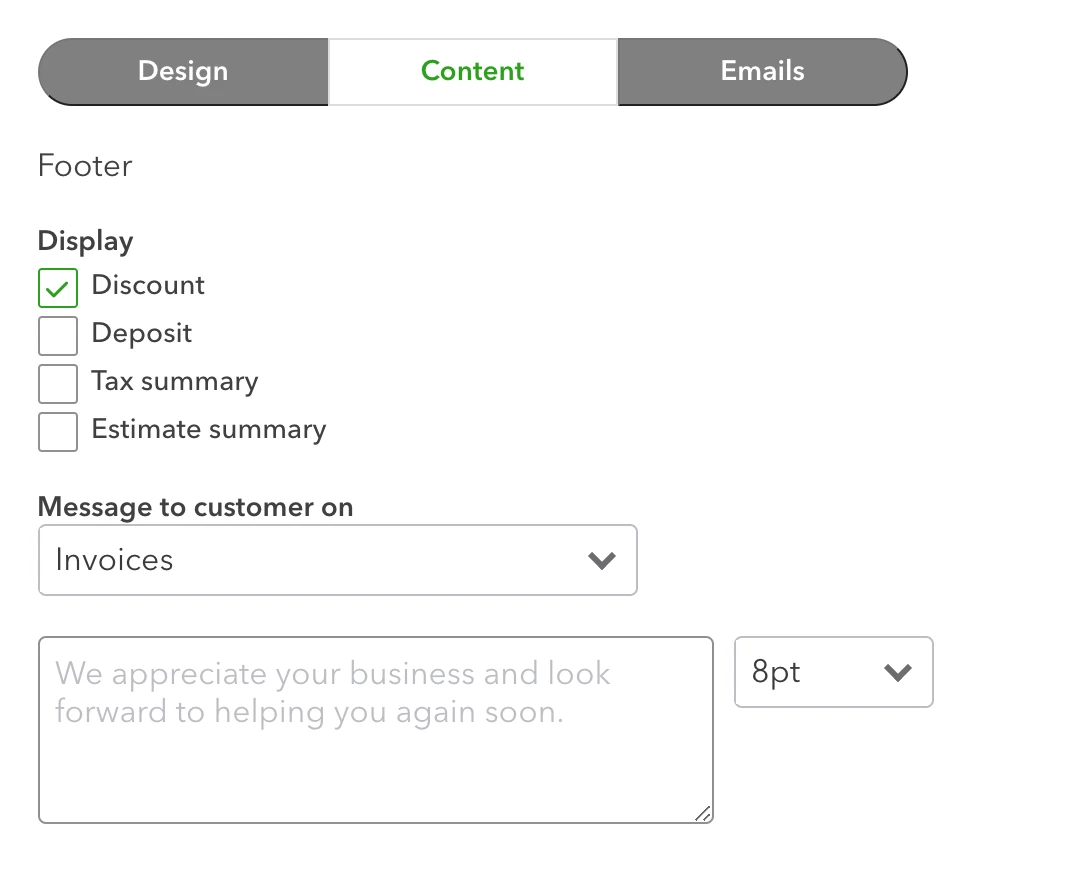
The other field is the Standard Email Message to Customer. 


Any help customizing those fields for each template would be appreciated!


Thanks!

1 reply

May 19, 2021

Hello CartwheelLaura,


Welcome to the QuickBooks family! I'm excited to see that you're diving right in with customizing your sales forms to ensure that they're just as you'd like them for communicating with your customers. It's a great way to add your personal touch while also ensuring your messaging is clear. I can go over how these customization options work in QuickBooks Online.


The option to customize invoices and other sales forms in QuickBooks Online gives you many opportunities to create specific templates for specific reasons by letting you change some areas of the template and have them be static to that specific style. The two areas you've highlighted—the Message to the customer and Standard email—are ones that cannot be uniquely customized to a specific form style. Rather, these two flow over all invoice styles.


I absolutely see how what you're trying to do would be useful, which is why I recommend submitting feedback about it to our product development team. When you're working with custom form styles, there's a Share feedback button at the top of the screen, or you can use the steps here: How do I submit feedback?. Comments left via either of these options are forwarded to our product team for consideration in future updates. To keep up to date with updates to the program, feel free to bookmark this page: QuickBooks Online Feature and Product Updates


In the meantime, what you can do is manually change the messages in those areas as needed to make sure that your customers have the details they need about their invoices. Another option you can consider, at least for the customer message part on the invoice, is to create your own invoice styles in Word, include the message as a part of that style document, and then upload it to QuickBooks Online. This article explains that option: Import custom form styles for invoices or estimates


So you have it as well, here's our article about the built-in customization options: Customize invoices, estimates, and sales receipts in QuickBooks Online


Don't hesitate to reply to this thread if you have more questions. I'm here to help!