December 29, 2021
Question

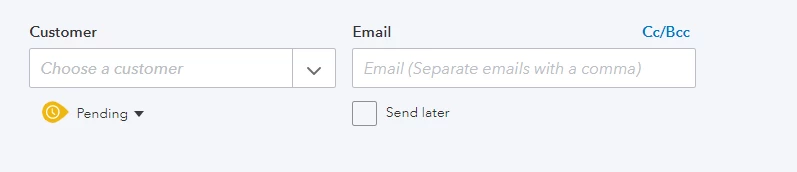
Estimate Status is selected to be pending but preview treats it as accepted

  • December 29, 2021
  • 1 reply
  • 0 views

I'm trying to send an estimate to a client, however on the PDF preview it shows 'Accepted By and Accepted Date' even though the estimate's status is pending (see attached). Changing the status from Pending to Approved and back again does nothing and I have no way to remove this. I was wondering if there's a solution to this issue since it looks confusing to a client to include this on an estimate when it doesn't need to be there. Any help is greatly appreciated!


Thanks,


Nick



1 reply

December 29, 2021

Hello MPN 3D, 


Welcome to the Community. QuickBooks Online is a versatile program that enables you to get your work done in less time. I'll be happy to share more information about estimates so you can continue to do the things you love. 


Based on the details you've shared, could I have you try this using a private/incognito window? Is this happening on new estimates or older estimates? In case this issue persists while using a private/incognito browser window, could I have you contact our support team so they can take a closer look into this. Here are our contact details: 

  • Schedule a Callback or start a Chat: click (?) in the upper right in QuickBooks Online > enter "Contact support" > choose Contact Us > provide a brief summary > select Let's Talk > choose Get a callback or Start a Chat.
  • Social MediaFacebookTwitter, and Instagram.
  • Support hours are from Monday to Friday between 9 a.m. and 8 p.m. ET. 

Let me know if this info helps by leaving a comment below. I'll be on standby in case you need anything else. Otherwise, I wish you a great rest of the week!