

February 22, 2021
Question

No country field option for 'Custom form styles' invoice templates

  • February 22, 2021
  • 1 reply
  • 0 views

Hello,


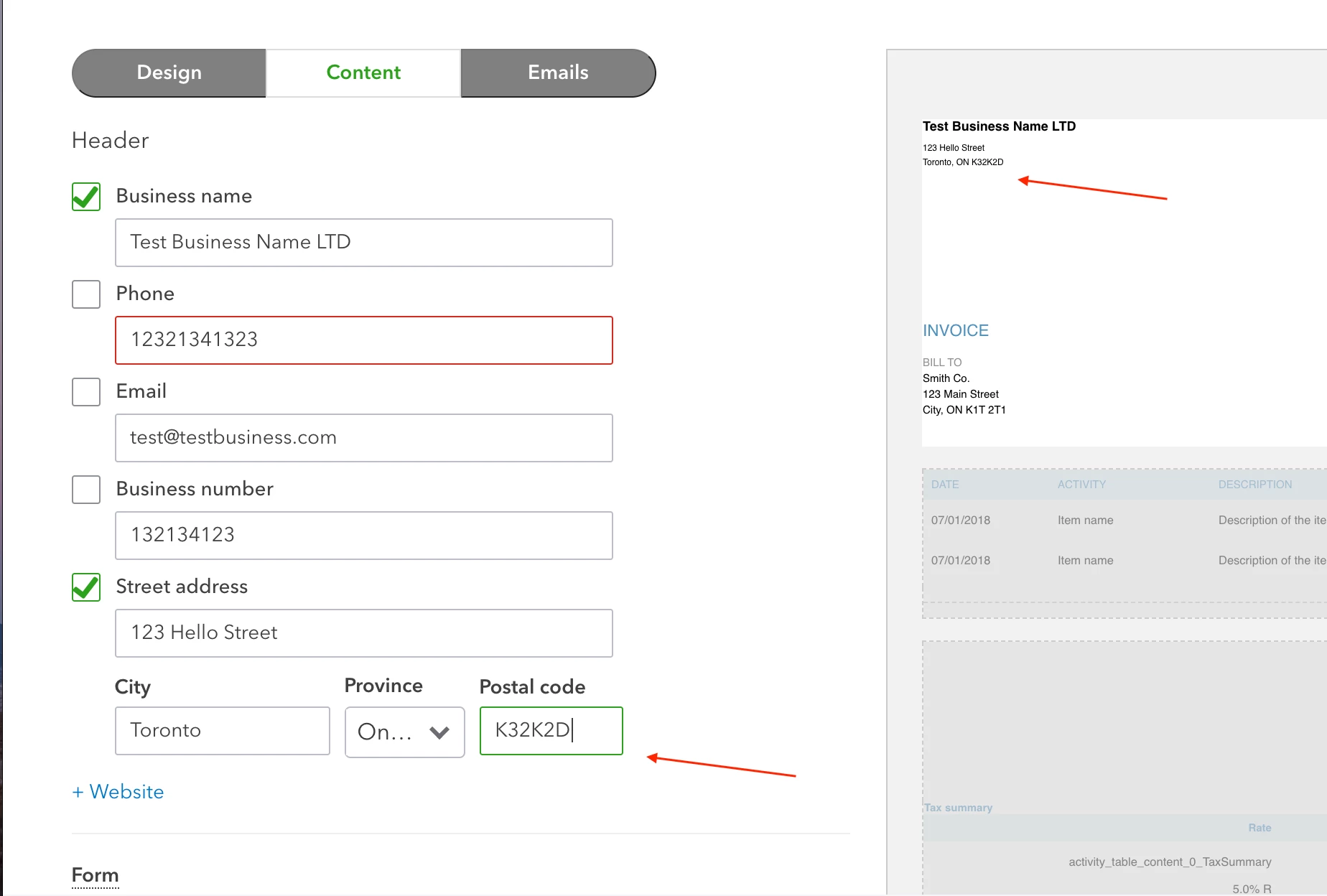
in the Canadian QB online - 'custom form styles' for invoice templates (/app/formstyles) feature, there is no ability to add a country field in the street address' section. I know there are custom fields but it still doesn't help create elegant invoice templates to our companies brand guidelines. Most importantly, we're a Canadian firm deal with a lot of clients in the US businesses, they send us checks in the mail, therefore country code is a hard requirement for us to include in the invoice. Furthermore, the ability to fully customize the invoice template. 


1 reply

February 22, 2021

Hello miracleboy,


I appreciate the description and the image of what you're looking to do in QuickBooks Online. Making sure you have the details you need on your forms is always integral part of communicating with your customers and meeting regulations for your business. I'm glad to see that you've already been exploring the program, and I can clarify this further for you.


There are a number of options available when it comes to customizing your forms in QuickBooks Online, such as changing the colours, adding custom fields, and adding or removing some other fields. At this time, there isn't a way to include a country field for your business's address with the built-in capabilities. You can learn more about those options here: Customize invoices, estimates, and sales receipts in QuickBooks Online


What I recommend since you need some specific options is to design your invoice templates outside of QuickBooks using Word to then import the style into the software. That way, you can include the full address as you'd like and possibly style the invoice in other ways you'd like as well. I've got an article that goes into detail about this so you can get a sense of how this might work for you: Import custom form styles for invoices or estimates


Given these options in QuickBooks Online and your situational needs, this is a great opportunity to send feedback to our product development team using these steps: How do I submit feedback? Our team is constantly on the lookout for input that can enhance the software and meet the needs of business owners, so they read the comments and consider them for future updates. To keep on top of updates, feel free to bookmark our QuickBooks Online Feature and Product Updates page.


Another option is to consider using a third party for your invoicing, then connecting it to QuickBooks Online with an app. Using the Apps tab in product, you can see what options are available that connect with the program and bring in data from elsewhere. 


Don't hesitate to ask more questions if you have any. I'm here to help however I can.