Hi there, ContractorsPlus.
This isn’t the kind of experience I want to leave. Also, your QuickBooks version is still supported and you should be able to process and print the tax form. We’ll have to configure the settings for your 1099, so you can print the form.
Let me help you through the process. Here's how:
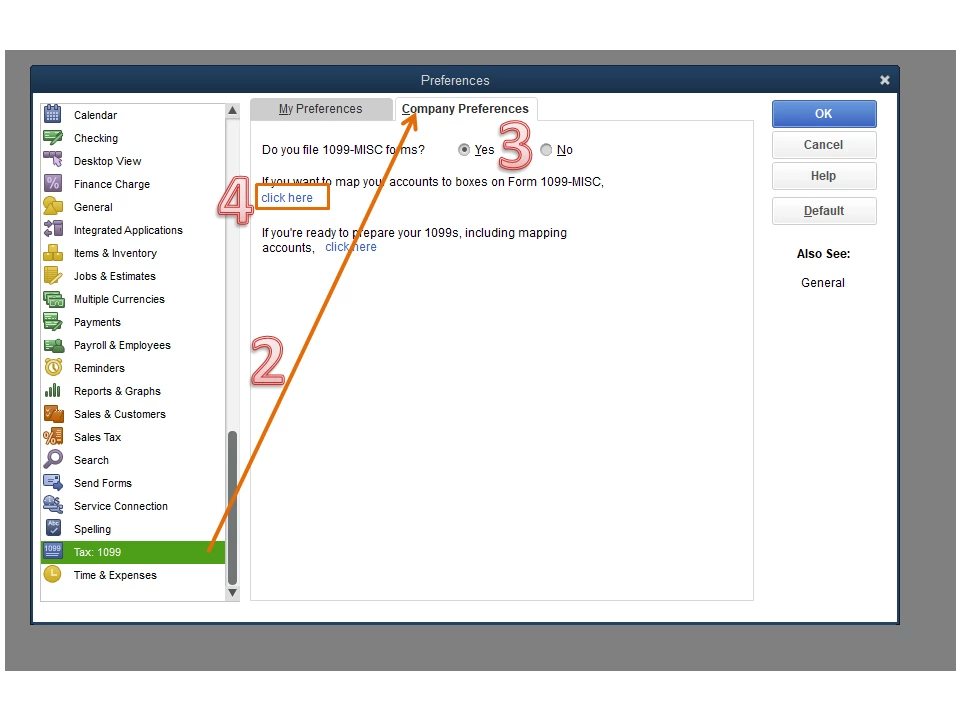
- Go to the Edit menu at the top to choose Preferences.
- Tap the Tax:1099 menu on the left panel and select the Company Preferences tab.
- In the Do you file 1099-MISC forms section, tick the radio button for Yes.
- Press click here in the If you’re ready to prepare your 1099, including mapping accounts section.
- This will open the QuickBooks 1099 Wizard.
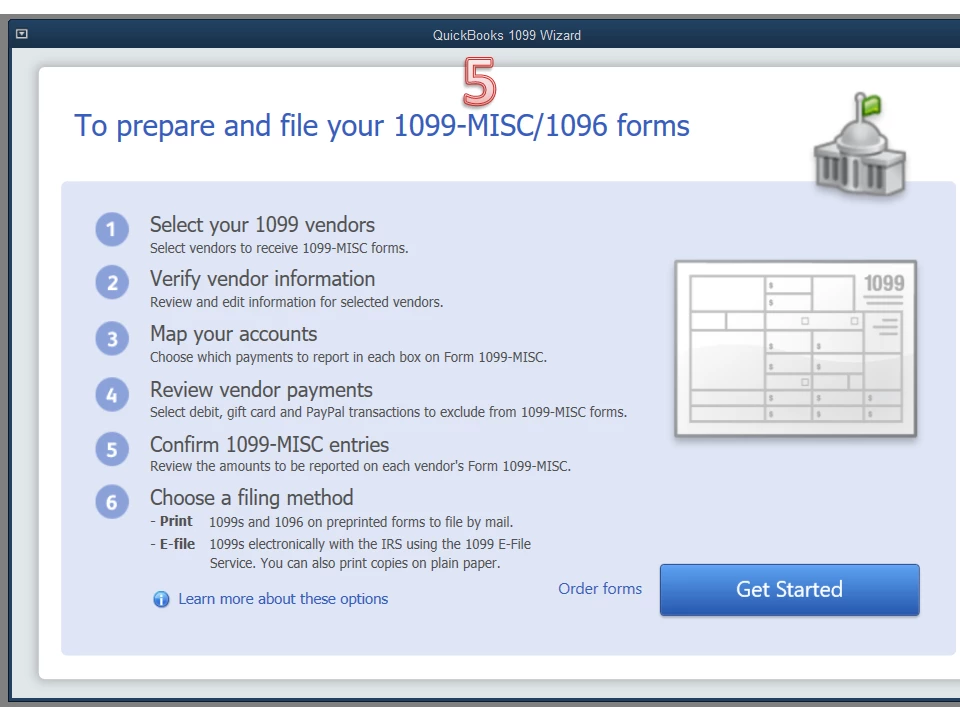
- From there, follow the on-screen instruction to prepare and print the form.
For additional resources, this article provides an overview of how to process the tax return. It includes solutions on how to fix common 1099 issues and answers frequently asked questions: 1099 E-File: QuickBooks Desktop setup, troubleshooting, & FAQs.
Don’t hesitate to leave a comment below if you need help when working in QuickBooks. I’ll be around to assist further. Have a good one.

