Welcome to the Community, bootz26.
Congratulations on your sales tax payment discount. I'm happy to help you record it in QuickBooks Online (QBO).
If you're using the manual tax payments in QBO, please follow the steps below on how to enter an adjustment:
- Click Taxes on the left pane.
- Under the Sales Tax column, select the amount you want to pay.
- Click Record Tax Payment.
- Check the box next to Make Adjustment (refer to the first screenshot).
- Enter the needed information.
- Click Record Tax Payment.
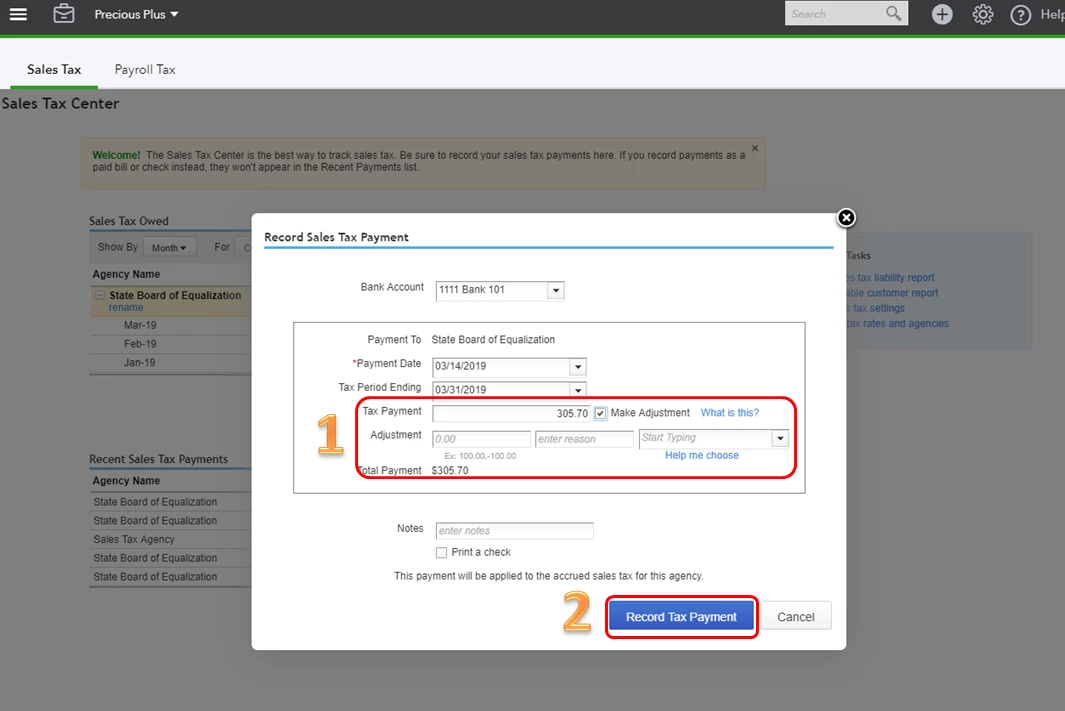
Please note that when entering the adjustment, you'll need to fill in:
- The dollar amount — either positive or negative.
- A reason for the adjustment (optional).
- The account used to categorize the adjustment. However, don't use the Sales Tax Payable account. The adjustment won't post correctly. Instead, use the following:
- Credit or need to apply a discount: Choose an income account, such as Other Income.
- Fine, penalty, or interest due: Choose an expense account.
- Rounding error: Choose an income account for negative errors, or an expense account for positive ones.
Here's an article for reference: Manage sales tax payments. Please go to the Record or adjust a tax payment section for the detailed steps.
However, if you're using our Automated Sales Tax, follow the steps I've laid out below:
- Select Taxes on the left pane.
- Locate the tax amount you want to pay and click View Return.
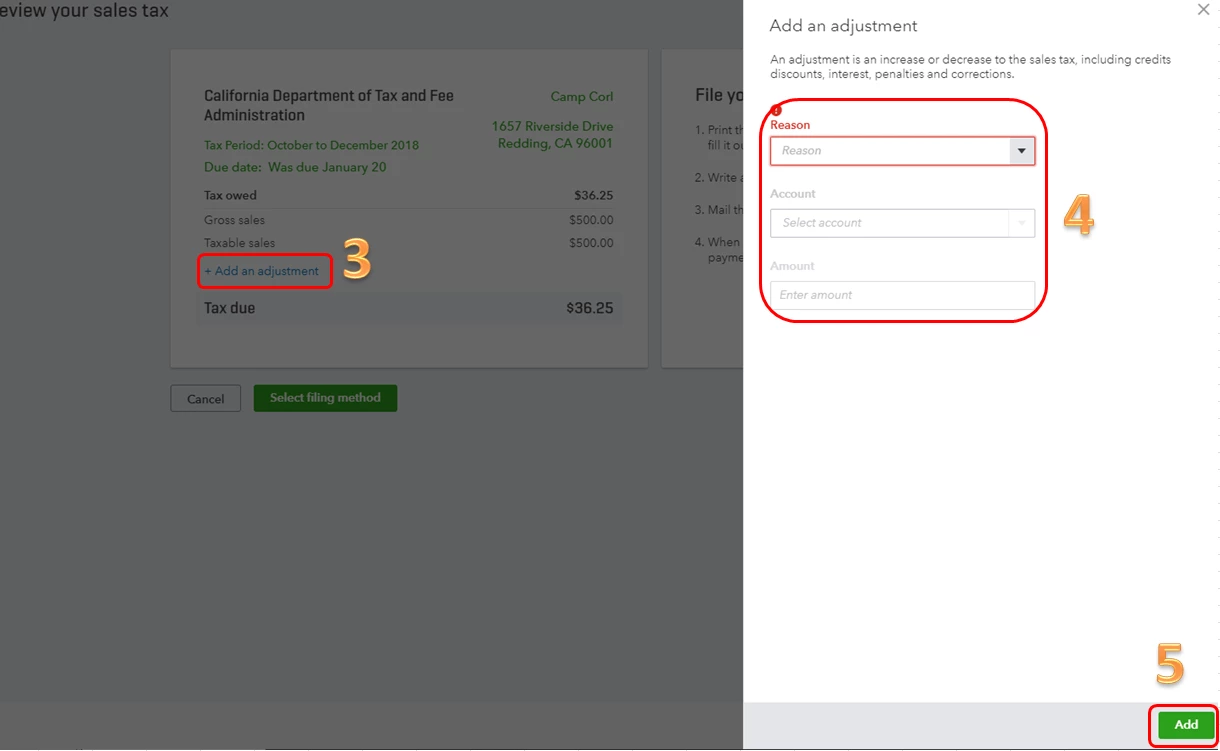
- Click + Add an adjustment.
- Enter the reason, account and amount (check out the second screenshot).
- Click Add.
This article will give you more insights about the Automated Sales Tax: Set up and use Automated Sales Tax. Click the Sales tax adjustment section for the detailed steps.
That should get you on the right track. If you have other questions, I'm happy to answer it. Just post it here as a comment and I'll take a look at it. Enjoy your week.

